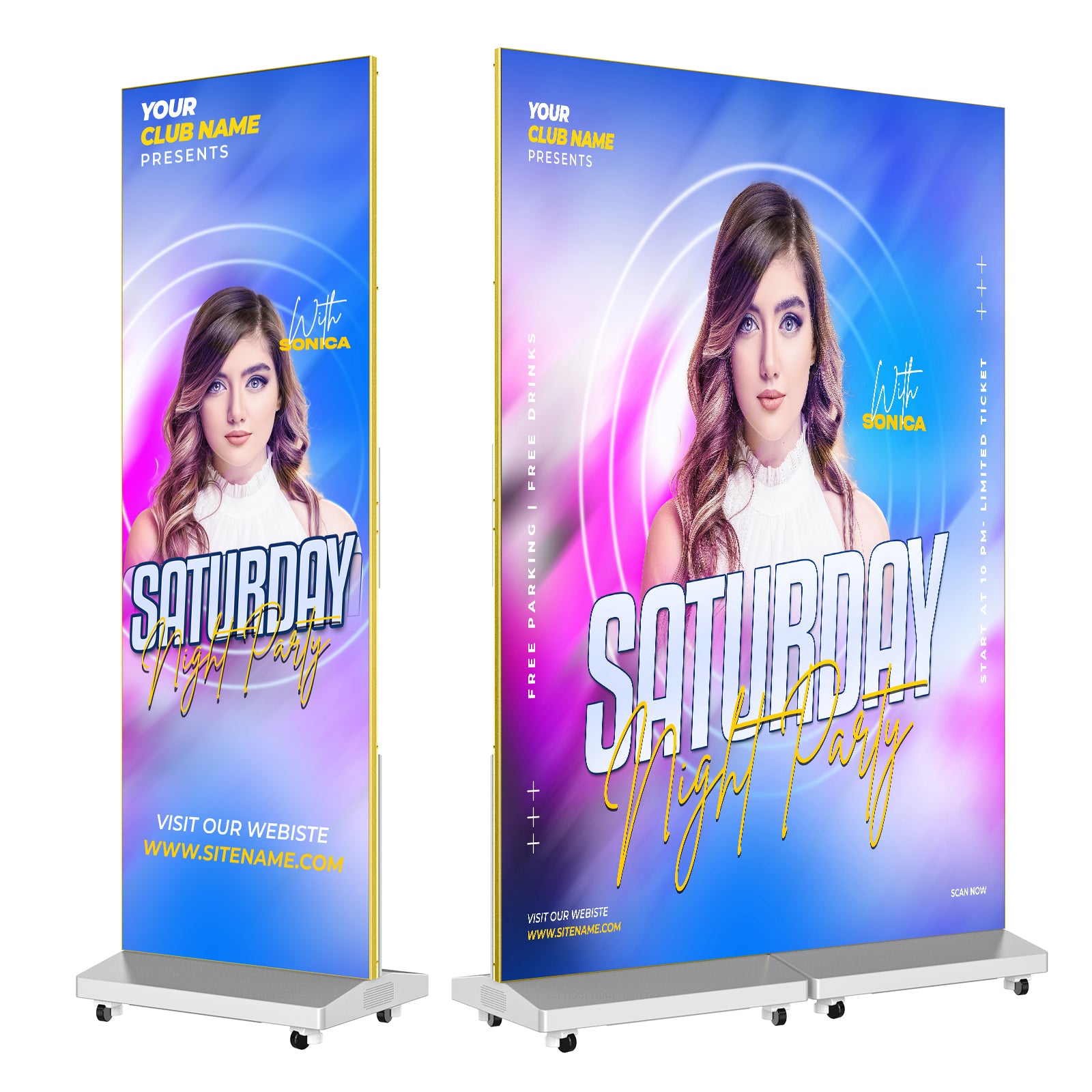
An LED poster gives an event team a tall display for brand artwork, sponsor messages and visitor directions. At a trade show, it can introduce the product beside the booth. At a conference entrance, the same format can welcome guests and point them toward registration.
MWE’s 80-inch P1.86 Spliceable LED Digital Signage Display can work as a standalone poster or combine with other units into a larger display. For teams taking equipment from one indoor event to the next, that choice comes down to what visitors need to see and where they will see it.
Give visitors a message they can use
A screen at the entrance has a different job from one beside a product demonstration. The entrance needs a welcome, an event name or a clear direction. At the booth, the display can give the product a visual introduction while a staff member speaks with visitors.
That difference should shape the artwork. For an entrance poster, keep the destination and arrow visible together. For a product display, give the product image room and use a short headline that makes sense to someone passing the booth. A sponsor reel can rotate through artwork; essential directions need to stay available when a guest looks up.
For example, an organizer could use a portrait welcome graphic during arrival and replace it with session information later in the day. Prepare those layouts before the event so the operator has the right content for each stage.
Choose between separate messages and one larger image
One poster suits a single viewing point. If a venue has registration at one end and an exhibition entrance at the other, separate displays can carry messages suited to each location. Bringing those screens together makes sense when the event needs one larger visual at a booth or presentation area.
MWE’s digital-signage guide describes this model as usable on its own, with up to four units able to cascade. That gives a rental operator a way to plan inventory around different event layouts.
A combined display also needs its own artwork. A portrait poster stretched across a wider surface can leave the subject oversized and the text awkwardly placed. Design for the combined canvas when the screens will carry one image; keep separate layouts when each screen has its own message.
The 80-inch model’s specification lists a 1.86 mm pixel pitch and a resolution of 344 × 1032. Use that portrait canvas when briefing a single-screen design. Large product imagery and short text are a sensible starting point; a dense agenda or detailed spreadsheet calls for a closer comparison of resolution and viewing distance.
Put content updates in the right hands
Decide who will prepare the artwork and who will change it during the event. A sponsor change just before opening is easier to handle when the operator knows where the replacement file lives and which version has been approved.
The model’s publishing-system specification names the LEDArt mobile app and Xiaohui Cloud Platform for computers. Build the content handoff around that system. Give the operator the approved welcome graphic, product artwork and any later event messages, with file names that make their intended use clear.
Keep each layout readable on its own. A visitor arriving halfway through a rotating presentation should still understand the message on screen.
Choose transport that fits the way your team works
For a rental business, the display will spend part of its working life packed away. The MWE listing offers one-unit and two-unit packages with a flight case and identifies a wheeled case as the transport package. Its specification table lists a product weight of 94.8 lb. MWE’s guide also describes a foldable form for transport.
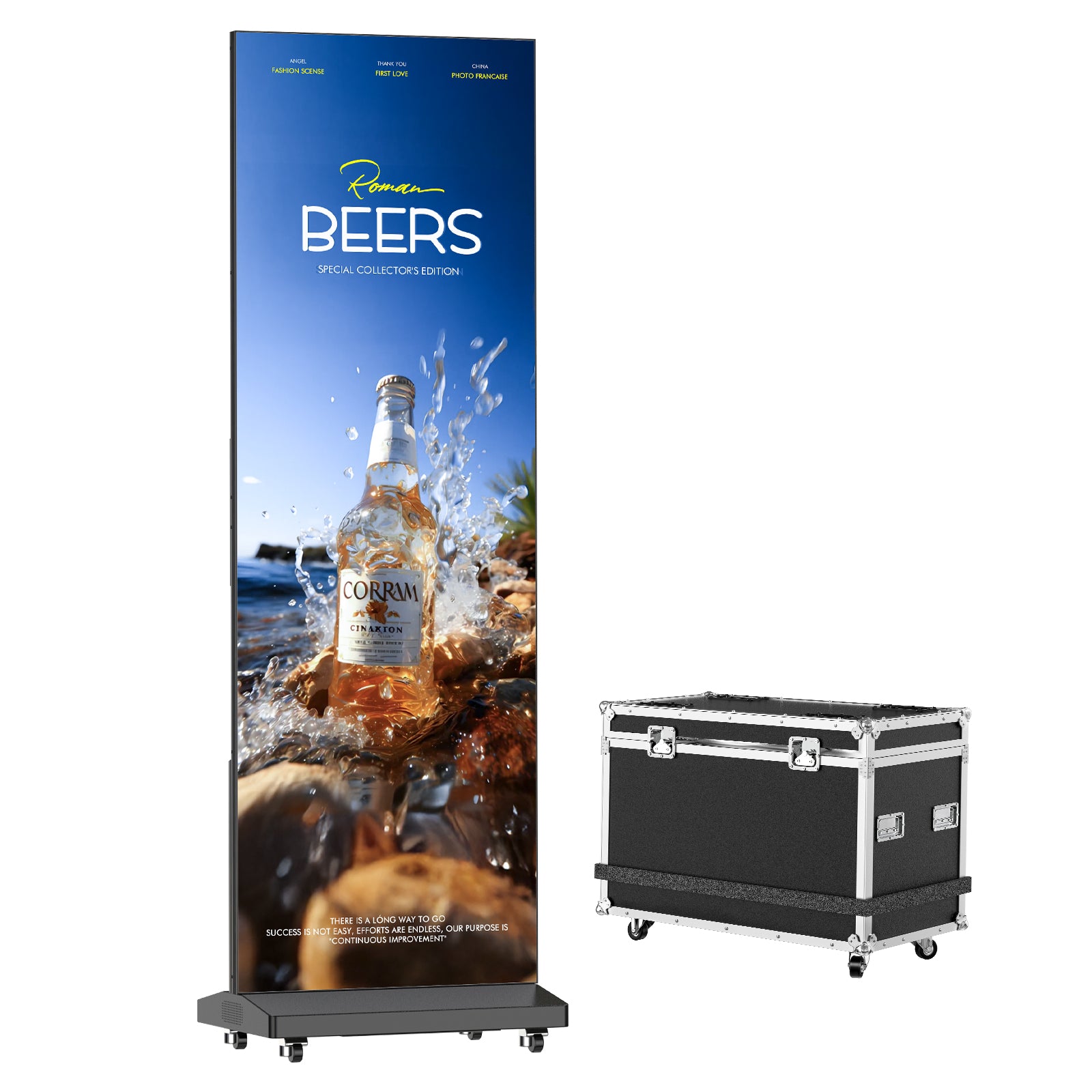
MWE official product illustration showing the LED poster and wheeled flight case. Image: MWEdisplay.
Treat it as crew-handled event equipment. Plan vehicle space and handling around the packed equipment, including the case. Wheels help with movement across a venue floor; lifting it into a vehicle is a separate part of the job.
For teams already transporting exhibition equipment, the case belongs alongside the rest of the event inventory. A team traveling with only hand-carried equipment has a different transport requirement. That distinction can settle the purchase more quickly than comparing screen diagonals alone.
For an indoor event that needs a freestanding brand display, this model offers room to use screens separately or together. Choose the number around the messages and locations the event needs, then prepare the artwork and transport for that arrangement.