
The camera is packed. The stand is secure, the light works and the event device is charged. Then the app asks for an account that nobody on site can access. The missing piece of equipment is the login.
Photo booth teams prepare physical items because they can see them. Software access is easier to leave in the background. The owner may have created the account on a laptop, a staff member may be carrying the iPad, and a recovery message may go to someone who is not working the event. Those arrangements become a problem when the team has to connect them during guest arrival.
Before leaving for the venue, the people running the job need a known, approved way into the software on the device they will actually use.
An account and a device are different parts of the setup
ChackTok’s setup guide includes account registration and describes use with iPhone, iPad and Android devices. A device can be present and working while access to the intended application account remains uncertain.
In an event business, a founder may buy the software, a manager may configure the event and a contractor may run the booth. The device may belong to the company, the operator or a rental pool. Agree each person’s responsibilities and permitted access method before the event.
Without clear responsibilities, teams can end up relying on memory: “I think this is the email we used,” or “The person who set it up probably has the password.” Identify which account is intended for the job, who owns it, who is authorized to use it and who can help if access fails.
Recovery belongs in the operating plan
Account recovery is useful to plan before access fails. NIST’s digital identity guidance includes recovery in the account lifecycle. The available methods depend on the service; a credential that worked once is not the whole access plan.
Test the real sequence on the event device before departure. Can it reach the sign-in screen? Does the responsible person know which account to use? If a verification or recovery step appears, can the approved account owner complete the permitted process or reach the appropriate support contact? Use the service’s current instructions, rather than assuming a recovery method is available.
This preparation does not require sharing personal credentials across the team. Informal sharing can make it harder to know who changed an account and who still has access. Keep an approved access method, a named owner and a recovery or escalation route that reaches the responsible person.
Keep different identities from becoming one guess
An event workflow may involve an application account, the Apple or Google account associated with a device, an inbox used for recovery and a client-facing destination for finished media. Depending on the tools in the setup, these may be separate identities.
Calling every prompt “the photo booth password” can lead someone to enter the right credential in the wrong place, or reset an account that was not causing the problem.
Label the operating account in the event brief. Record its approved owner and recovery contact in the team’s secure system. Distinguish the device-store identity from the event application account, and keep guest-media access separate from internal operating access.
ChackTok’s public setup guide explains the first steps with the product. The operator’s access plan connects those steps to the people responsible for the event.
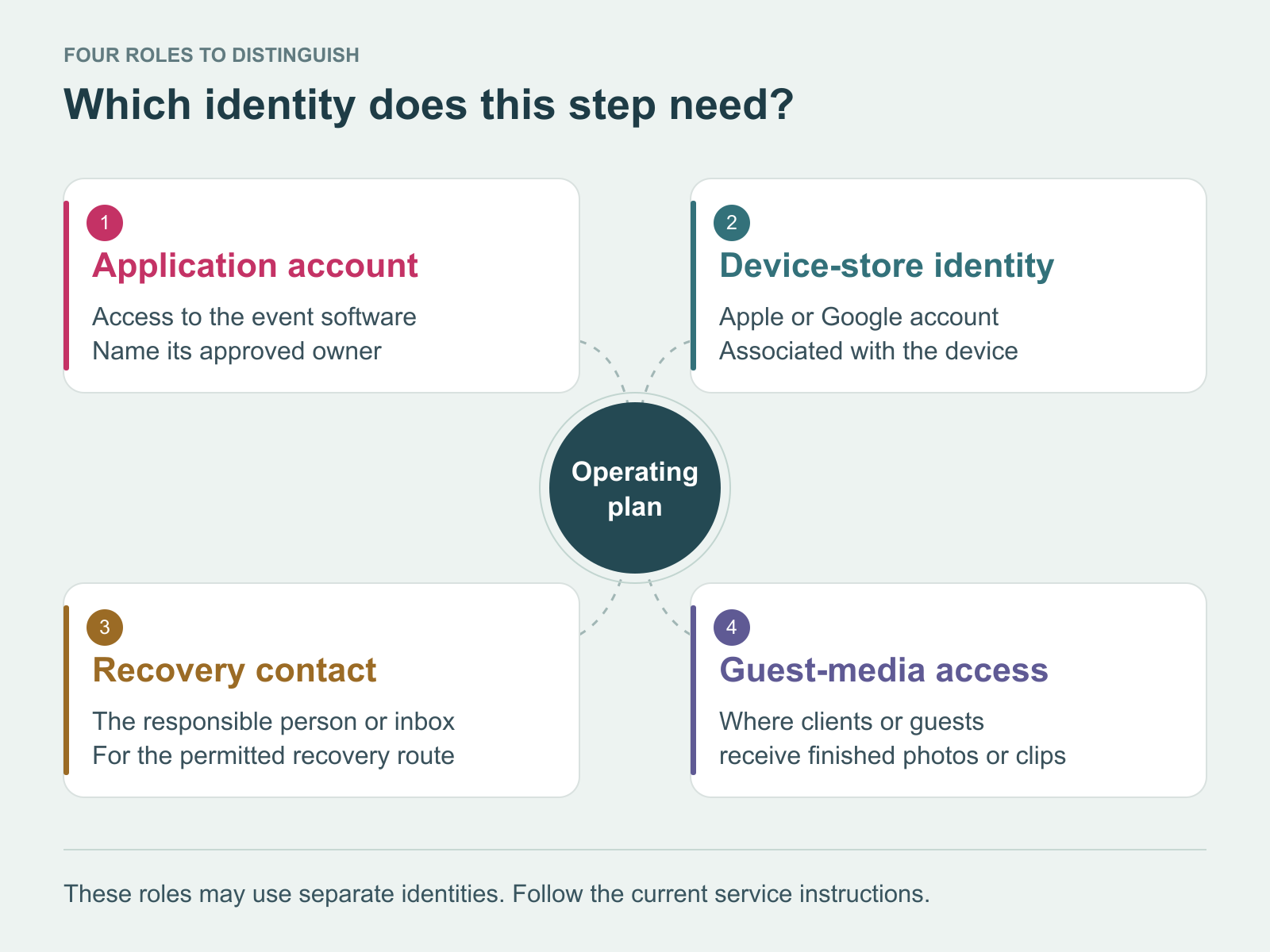
Identify what each account or contact is for. The roles may be separate, depending on the setup; this diagram does not depict ChackTok account controls. Illustrations: ChackTok editorial.
A ready booth includes a ready path into the software
The final equipment check usually covers the physical rig, the configured experience and the operator’s ability to start. Include account access in that check.
Access should not depend on someone answering a phone from another time zone or remembering an email address used months ago. The assigned operator should know how to begin and which approved escalation route to use if something changes.
Before the next event, name the owner of the operating account. Then test sign-in and the permitted recovery or support route on the actual event device. Include that access check before calling the booth packed.