Two photo booth platforms can present nearly identical feature lists and behave very differently at 8:10 p.m., when a camera drops, the venue network is unstable, and the client wants to know whether the last fifty sessions are safe.
The best photo booth software is not the one with the longest comparison table. It is the one that completes your specific guest promise, works with the verified event setup, gives staff a usable recovery path, and comes with support boundaries you can plan around.
What photo booth software is responsible for
Photo booth software coordinates the capture and content workflow that turns a guest interaction into a usable output. Depending on the current product and configuration, that workflow may include device connection, capture, image or video processing, content creation, and sharing. It also determines much of what the operator sees when setting up an event or responding to a problem.
That category definition is deliberately narrower than a marketing feature list. Consent management, CRM connections, analytics, automation, camera compatibility, offline behavior, and compliance controls require product-specific evidence. Do not award a point because a capability sounds common in the category.
Map the deliverable before comparing tools
Write the event promise first. Is the guest receiving a printed photo, a short video, a branded digital file, or a link delivered after review? Who approves the template? Which device captures the media? Where does the operator confirm success? What must the client receive after the event?
A platform can be excellent for one workflow and awkward for another. By mapping the deliverable before the demo, you prevent an attractive secondary feature from hiding a missing or labor-intensive core step.
-
Guest action: what the participant does and how long it takes.
-
Operator action: what staff must configure, monitor, or correct.
-
Output: what is produced, in which form, and at what point.
-
Delivery: how the guest or client receives the result.
-
Evidence: what confirms that a job completed or needs attention.
Build one repeatable proof test
Create a small event configuration and use it on every shortlisted product. Use the same camera or tablet class, template assets, venue-like network, delivery destination, and operator skill level. The test needs to start with setup and end when a separate device receives the result.
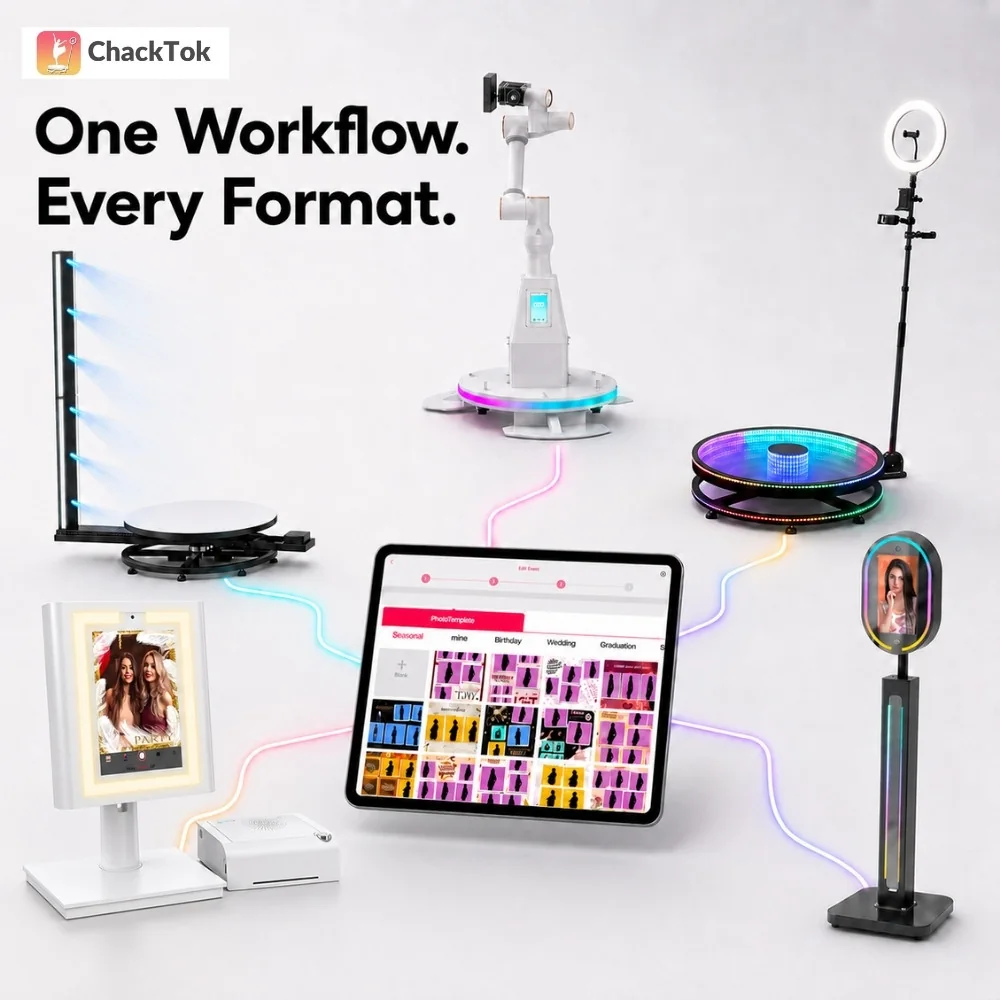
ChackTok publishes a setup guide covering product setup, device connection, and sharing. That creates a public path a buyer can inspect and turn into test steps. It does not replace a live proof test, and it does not establish support for a particular device, model, or venue without current documentation.
-
Build and open the event from a clean starting point.
-
Connect the approved capture device.
-
Complete three normal guest journeys.
-
Check the output on a separate recipient device.
-
Restart the app or reconnect a device at a safe point.
-
Locate the affected job and follow the documented recovery path.
Compare recovery, not demo mode
A polished vendor demo proves that an expert can operate a prepared system. Your proof test needs to show what an ordinary team member sees when a dependency fails. Record the exact error, the steps required to recover, whether completed jobs remain available, and when support must take over.
Ask for current documentation on backup, recovery, updates, and version changes. A backup claim is incomplete until the operator knows what is backed up, where it is stored, how it is restored, and how often that restoration path is tested. Do not convert the existence of cloud processing into an assumption about retention or recovery.
Examine permissions and data boundaries
On an iPad, access to the camera, microphone, photos, Bluetooth, and local network is controlled through system permissions. A buyer needs to know which permissions the tested workflow requests, when the prompt appears, and how a denied permission is diagnosed and restored.
Then ask direct data questions: what data is created, where it moves, who can access it, how long it is retained, and what export or deletion controls are documented. The right answer depends on the product, deployment, jurisdiction, and client agreement. A generic privacy badge or a sales promise is not a substitute for current terms and technical documentation.
Test support with a timed scenario
Support quality is difficult to compare through slogans. Give each vendor the same realistic scenario and ask for the operating path: “The booth opens in ninety minutes, the approved device no longer connects, and the last known working configuration is documented. What information do you need, which steps can staff take, and when does the issue escalate?”
Record channel, hours, response target if contractually stated, required logs, remote-access expectations, escalation path, and any paid support tier. Do not treat an informal response during the sales process as a service-level commitment.
Score the observed result
Keep the scorecard short enough to use. Weight criteria according to commercial risk, then attach evidence to every score.
-
Core workflow: setup, capture, processing, and delivery complete as required.
-
Recovery: the team can identify and recover from the tested failure.
-
Operational load: routine steps fit the planned staffing and event pace.
-
Device and venue fit: compatibility and network assumptions are documented and tested.
-
Data boundary: permissions, movement, retention, and control questions receive current answers.
-
Support: the escalation path is usable for the hours and markets you serve.
A missing answer is not automatically a rejection; it is a risk with an owner and a deadline. The purchase decision becomes defensible when the winning platform has the strongest verified fit for the event promise—not the most untested claims.
FAQ
How should I compare photo booth software?
Use the same end-to-end event proof test on every platform. Compare the required workflow, recovery from one controlled failure, operator workload, verified device and venue fit, documented data boundaries, and support escalation.
Which features matter most in photo booth software?
The most important capabilities are the ones required by your guest and client deliverables. Start with reliable setup, capture, processing, output, and delivery, then evaluate optional features only when they support a defined commercial need.
How can I test photo booth software reliability?
Run several complete guest journeys on the final device class and network, then introduce a safe interruption and recover. Record errors, lost work, active staff time, and the point where vendor support becomes necessary.
What data questions should I ask the vendor?
Ask what data is created, where it travels, who can access it, how long it is retained, and which export or deletion controls are documented. Confirm the answer against current terms and the jurisdiction of the event.
Is a free trial enough to select software?
A trial is useful only when it allows the team to test the real workflow and dependencies. If hardware, delivery, support, or data behavior cannot be tested, keep those items open and require current evidence before purchase.