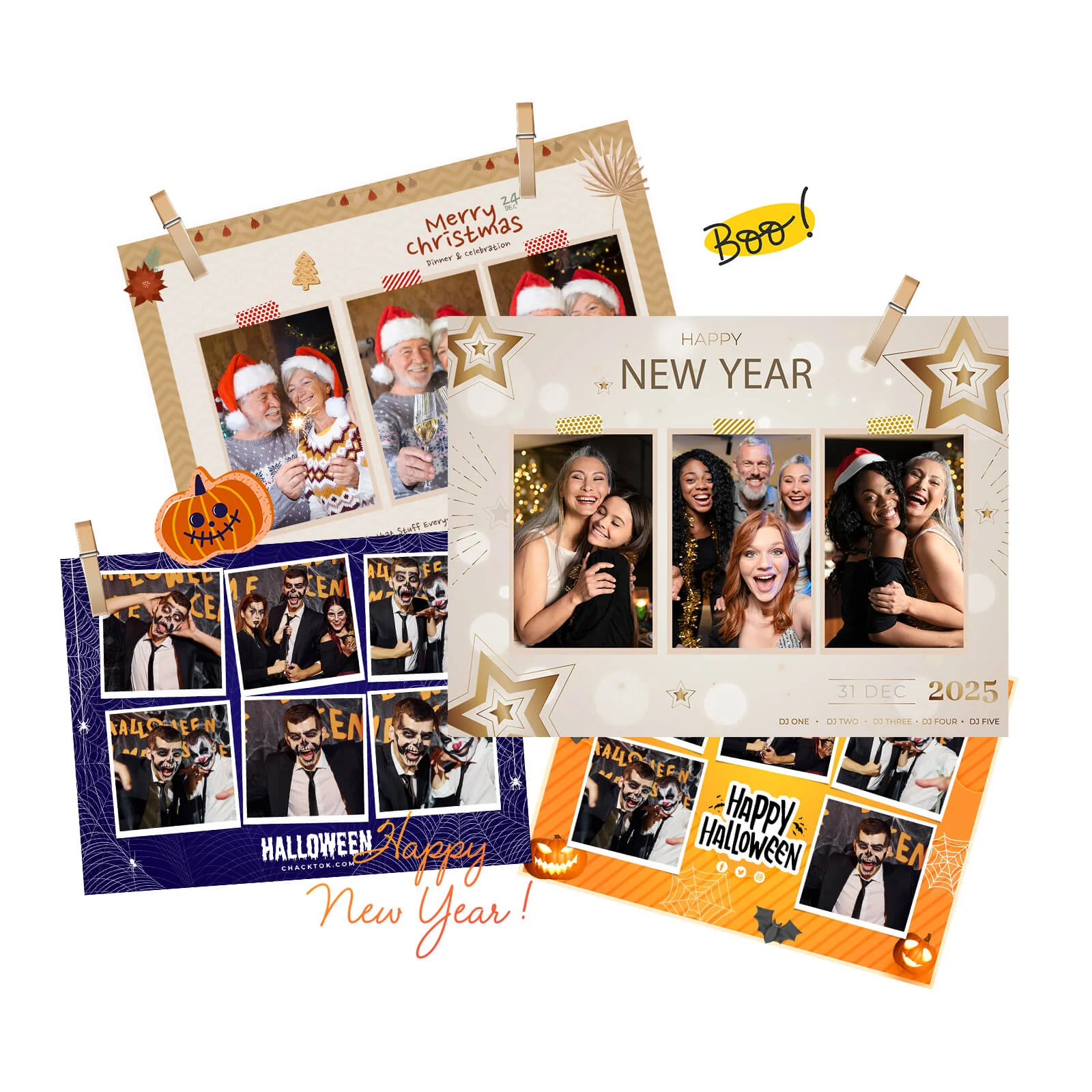
A proposal can list the booth, service hours, attendant, backgrounds, sharing features, and price while leaving the client with one unanswered question: what will this feel like at my event?
When clients cannot visualize the experience, they may compare the easiest fields: price, equipment, and time. A useful visual proposal connects those details to the event, shows what guests will do, and makes the final deliverables clear.
Start with the client’s event
Confirm the event type, date, venue, guest count, important groups, purpose, theme, and desired content. Ask how guests and the client should receive the output, what practical concerns exist, and which approvals are needed.
The same booth may need a different presentation for a wedding, a birthday, and a product launch. A proposal should show a plausible version of that client’s event, using confirmed requirements rather than adding a name to a generic brochure.
Use a ten-part proposal structure
The official guide offers ten parts. They can be pages or concise sections, depending on the proposal:
| Part | Show the client |
|---|---|
| Personalized cover | Event name, date, version, and the main experience goal. |
| What we heard | The client’s priorities, guests, desired content, and concerns. |
| Experience concept | The central idea, why it fits, and what guests receive. |
| Visual direction | Relevant colors, backgrounds, frames, branding, and preview output. |
| Guest journey | Arrival, guidance, capture, processing, receipt, and optional sharing. |
| Client deliverables | The specific content, gallery, summary, or other items the team can provide. |
| Experience options | A small number of clear choices suited to different needs. |
| Execution plan | Space, power, network, setup, staffing, approvals, and delivery timing. |
| Relevant proof | Authorized examples and evidence related to the proposed event. |
| Next step | One action, such as approving the concept or requesting revisions. |
The structure makes the experience reviewable. It also provides a place to explain what is still a concept and what the provider commits to deliver.
Show the journey around the equipment
Explain how guests discover the activity, receive instructions, capture content, see the processed result, and receive their files. Show how the event’s visual identity appears at the relevant points.
Sharing should remain a guest choice. Do not imply that every participant will post or promise a particular number of shares. A proposed QR, SMS, or email route should be demonstrated with the actual device and setup.
Connect each feature to the client’s purpose. A custom watermark can support brand consistency; a themed frame can help content fit a wedding. Listing a feature without showing its role leaves the client to perform that translation.
Label previews and use relevant proof
Use labels such as “Concept Preview,” “Sample Layout,” or “Proposed Visual Direction.” A preview helps a client judge the idea; it is not evidence that the final output has already been approved.
Use real event photographs, approved samples, and authorized testimonials when available. Check permission to use the client’s logos and content. Do not use unrelated logos or unverifiable testimonials to imply experience the business cannot support.
A reusable asset library can include event styles, portrait and landscape output, setup photographs, delivery-flow examples, and venue requirement sheets. Keep the library current and track which examples can be shared publicly.
Make options easy to compare
An essential package might focus on straightforward capture and digital delivery. A themed package might add an approved creative design. A brand activation may require notices, information collection, or reporting that must be separately confirmed.
For each option, state who it suits, what guests experience, what the client receives, and what the venue must provide. Avoid describing an integration or report simply because the underlying software has a related feature.
Different buyers need different proof. A wedding client may focus on style and important people. A planner may prioritize timing and communication. A venue may need clearance, power, cables, access, and cleanup information. A marketing team may need brand approvals and a defined data handover.
Turn approval into a tested workflow
After the concept is approved, supported ChackTok workflows can help apply templates, effects, watermarks, guest notices, and sharing settings. Availability depends on the equipment and event configuration.
The software does not replace discovery, proposal creation, or agreement on requirements. Save the approved version, prepare the corresponding event settings, and test capture, processing, saving, and delivery before arrival.
Check that the proposal names the actual event, labels concepts, explains practical requirements, lists realistic deliverables, and ends with one next step. Use the official proposal guide and ChackTok workflow overview to connect the client’s decision with the operator’s execution plan.