The booth is busy. Guests are still posing, but the venue Wi-Fi has slowed to a crawl. Thumbnails keep appearing, the sharing station looks alive, and nobody is sure which files have actually reached the gallery.
That is the moment an upload queue matters.
A photo booth upload queue is a holding area for media or processing tasks that have not completed their next step. It can keep the capture line moving while the network catches up. It is not proof that a file is backed up, uploaded, or delivered to a guest. Operators need to read each state separately and protect the local copy until delivery is confirmed.
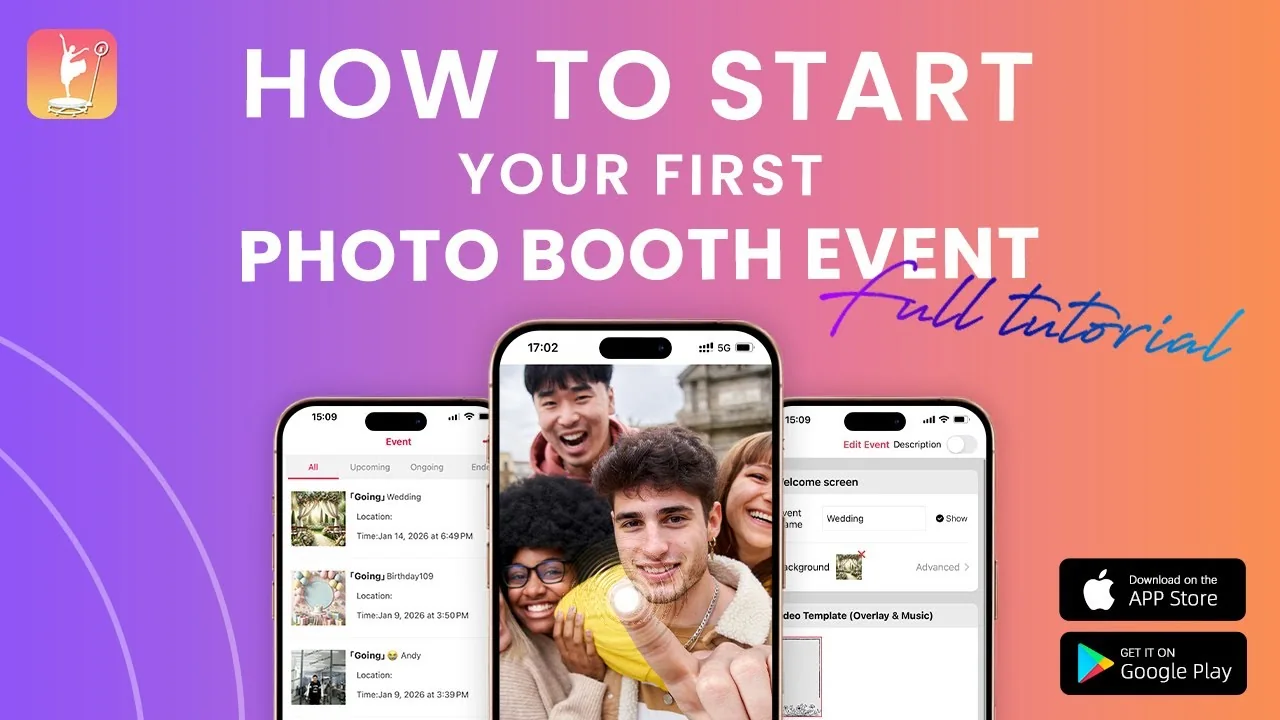
ChackTok’s published operation guide describes Queue and History views, local-media processing, event galleries, and cloud status for supported event workflows. Its public site also describes a fast queue for busy events or slow internet. Those tools are most useful when the operator has already defined what counts as complete.
A queue is not delivery
The word “queued” sounds reassuring. It only means the system intends to do something later.
An event file may pass through four distinct states:
-
Captured — the camera or phone created source media. Not yet proven: processing, upload, gallery appearance, or guest delivery.
-
Processed — the app produced the event version with the selected effect or template. Not yet proven: cloud sync or sharing completion.
-
Uploaded — the cloud or event gallery received the file. Not yet proven: guest access through the intended channel.
-
Shared — email, SMS, QR, AirDrop, or another path was attempted or completed. Not yet proven: long-term retention or client handoff.
The interface may use different labels by platform and version. The operating principle stays the same: do not collapse four states into one green check.
Protect local media before troubleshooting sync
When the network fails, the local device is often the only place holding the source or processed file. Protect it before clearing caches, deleting events, reinstalling the app, or switching devices.
Freeze unnecessary changes. Keep the event open. Connect the device to reliable power. Note the available storage. Record the time of the network failure and the approximate number of sessions since the last confirmed upload. Photograph or screen-record the queue and gallery states.
If the application provides a local-media processing view, use it to identify work that exists on the device but has not reached the event gallery. In ChackTok’s current iOS operation guide, the event menu includes Queue, History, Gallery, and Process Local Media. The guide says an operator should treat media as cloud-synced only after the uploaded cloud status appears.
Do not delete the local copy because a thumbnail exists. A thumbnail may represent a captured item, a processed preview, or a pending record. Confirm the status that matters to the event.
Build a venue-network fallback
A reliable fallback is planned before doors open. NIST’s contingency-planning guidance uses a simple idea that applies here: define alternate processing and recovery measures before a disruption, then test them.
For a photo booth event, that plan can be compact:
-
Identify the primary network and one approved backup connection.
-
Test the event device on both networks from the actual booth location.
-
Decide whether capture continues when upload is delayed.
-
Define the local-storage stop point that triggers a pause.
-
Choose a guest message for delayed delivery.
-
Assign one person to monitor the queue at fixed intervals.
-
Define the post-event sync location, power source, and completion owner.
The fallback should match the contract. A wedding guest may accept a gallery link later. A sponsor activation may require immediate QR delivery. A lead-generation campaign may have privacy and retention requirements that need separate approval. The operator cannot choose one universal response after the network has already failed.
Read the queue before guests leave
Queue monitoring should be a scheduled task, not something staff check only after a complaint.
At a quiet moment, compare the number of recent sessions with the Queue, History, and Gallery views. Look for records that are processing, waiting, failed, added but not shared, or absent from the cloud gallery. ChackTok’s published iOS guide notes that History can show capture time, share state, and status. A record marked as added with no share state is not the same as confirmed delivery.
Use a small reconciliation sample:
-
Pick three recent sessions with known capture times.
-
Confirm the local or processed file exists.
-
Confirm the upload state.
-
Confirm it appears in the correct event gallery.
-
Complete one guest-facing delivery through the event’s intended method.
If that chain works, the queue is moving. If one step fails, name the failed state before changing the workflow.
Keep the capture line and recovery plan separate
The person guiding guests should not also diagnose every upload record. Split the jobs during a busy activation.
The front-of-booth operator protects timing, safety, and the guest experience. A second operator or remote support contact monitors network health, queue growth, device storage, and delivery completion. Small teams can alternate these roles at fixed checkpoints.
Set a threshold for action. A queue that grows by two items and clears may need no intervention. A queue that grows continuously while storage falls needs a controlled response. The threshold should consider event volume, file size, remaining device storage, and the promised delivery method. Avoid publishing a universal number because every setup is different.
If capture must pause, explain the operational reason plainly. A short controlled pause is easier to recover from than a full event of unverified media.
Close the event with reconciliation
Do not pack the device when the final guest leaves. The event ends when the media state is reconciled.
Count the expected sessions. Review pending and failed queue items. Keep the device powered until required processing and uploads finish. Confirm a sample of gallery records and delivery links. Export or back up material according to the event policy. Record any gaps, the action taken, and the person responsible for follow-up.
Then preserve the evidence. A queue screenshot, event ID, device and app version, network timeline, and example capture times make support work far more precise than “some files disappeared.”
ChackTok can organize capture, processing, galleries, queue visibility, and sharing in supported workflows. The operator still owns the acceptance rule. If the rule is “the thumbnail appeared,” weak Wi-Fi can hide risk. If the rule is “the file is local, processed, uploaded, visible, and delivered,” the team knows exactly what remains to be done.
FAQ
What is a photo booth upload queue?
It is a holding list for media or processing tasks waiting for a later step. A queued item may still need processing, cloud upload, gallery placement, or guest delivery, depending on the platform and status label.
Can a photo booth keep capturing when the internet fails?
Some workflows can continue locally and sync later, but behavior varies by app, platform, event settings, storage, and sharing method. Test the actual device without a network before relying on that behavior at a paid event.
Does a thumbnail mean the photo booth file is backed up?
No. A thumbnail can represent a local capture, preview, or pending record. Confirm the local file, upload status, gallery appearance, and intended delivery state before treating it as complete.
What should I record when photo booth uploads are stuck?
Record the event name or ID, device and app version, network timeline, queue and history screens, available storage, example capture times, and which delivery methods failed. Keep the local media intact while support investigates.
When is a photo booth event ready to close?
Close after expected sessions are reconciled, pending tasks are resolved or assigned, required uploads and gallery records are confirmed, a delivery sample works, and the retention or backup step required by the event is complete.